Why AI study tools feel like a shortcut
You sit down to study, hit a confusing paragraph, and an AI tool can translate it into plain language in seconds. That speed feels like a shortcut because it removes the slowest parts of learning: finding the right explanation, choosing examples, and checking whether you understood. It also feels personal—answers are phrased in your tone, at your level, and they don’t get impatient when you ask the same question three times.
The “easy” can disguise missing effort. When the tool supplies the structure, steps, or wording, you may skip the mental work that builds recall and problem-solving. It can also create a hidden cost: you finish faster, but you’re less sure you could reproduce the work under time pressure, without help.
Where personalized support truly improves studying

Personalized support helps most when it reduces friction without doing the thinking for you. A good example is concept clarification: if a textbook definition is dense, an AI explanation plus a simple analogy can get you unstuck so you can return to the original material and annotate it in your own words. Another high-value use is targeted practice. If you can name what you’re missing (“I don’t get when to use integration by parts” or “my thesis feels too broad”), you can ask for a few graded-difficulty problems or a checklist of common failure points, then attempt the work before you look at hints.
It also shines as a feedback mirror. You can paste your attempted solution or draft and ask, “Where does my reasoning jump?” or “Which sentences don’t support my claim?” That keeps ownership with you while still giving fast, specific guidance. This approach takes longer than asking for the answer, and it only works if you’re willing to show your messy first attempt.
How overreliance shows up in real coursework
You usually notice overreliance when the format changes. Homework done with AI feels smooth, but a closed-book quiz exposes gaps: you can’t start a proof, set up a free-body diagram, or recall the two steps that connect definitions to an answer. In writing-heavy classes, it shows up as “clean” paragraphs that you struggle to defend in discussion—your paper sounds confident, but you can’t explain why a source belongs, what a key term means in context, or how you ruled out alternatives.
Another tell is brittle problem-solving. If a teacher swaps numbers, changes wording, or asks for an explanation instead of a result, your process collapses because you never built one. Group work can amplify this: you contribute polished outputs but fewer ideas, and teammates notice you can’t re-derive what you submitted. You spend less time learning early, then pay it back before exams, and you may drift into academic-integrity trouble without a clear line.
Deciding what to ask AI—and what not to
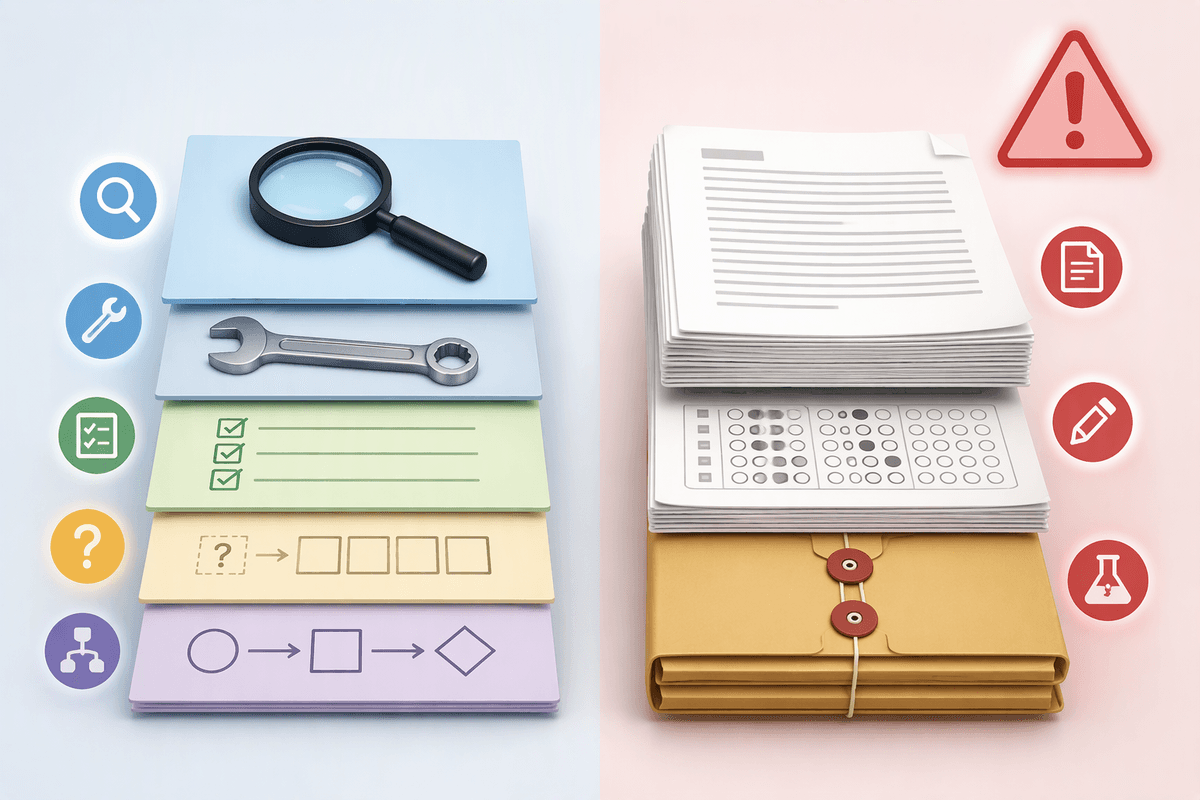
You’re usually making the decision in a familiar moment: you’re stuck, tired, and the fastest path is “just show me the answer.” A cleaner rule is to ask for tools, not products. Good prompts request an explanation in simpler terms, a worked example that’s similar but not identical, or a short set of hints that stop before the final step. In writing, ask for an outline critique, argument gaps, or clarity edits on a paragraph you drafted—then choose what to change and why.
What not to ask for is anything you’re expected to generate from scratch under assessment: final solutions, full lab conclusions, or a ready-to-submit essay. Even when it’s technically allowed, it trains the wrong skill. A practical test is the “replay check”: if you can’t redo the problem or restate the argument without looking, you asked for too much. The cost is real—saving ten minutes now can mean hours of re-learning before an exam.
Guardrails that keep you in control
When a deadline is close and the tool seems ready to finish the entire task, it becomes harder to resist asking for the complete answer. Simple rules are easier to follow under pressure. Before opening AI, write down a rough plan, set up the first equation, or draft an initial paragraph yourself. Then request limited help, such as one hint, a check for a likely misconception, or an alternative example. Make another attempt before asking for more. If the tool produces a full solution anyway, put it aside and reconstruct the reasoning from memory.
A short review after each session helps reveal whether the work has actually taught you anything. Spend two minutes writing a plain-language definition, outlining the main steps, and identifying the clue that tells you when to use the method. For writing assignments, add one sentence explaining why each major revision improves the original. These notes give you something concrete to revisit before a quiz or when tackling a similar task independently.
The routine takes roughly 10–20 extra minutes, but that time serves a purpose. Working through the reasoning yourself makes it easier to recall under exam conditions, while recording the basis for your revisions helps keep your own contribution clear. Without these checks, a finished answer may give the impression of understanding even when the underlying knowledge is still missing, and the line between legitimate assistance and academic misconduct may become harder to recognize.
Choosing tools and settings without hidden costs
You feel the difference when a tool is “free” but constantly nudges you to upgrade, auto-saves everything, or blurs where its suggestions came from. Hidden costs often aren’t money first; they’re control. Before you commit, check three settings: what gets stored (chat history, uploads, account profile), what gets shared for training or “product improvement,” and whether you can delete data easily. If you’re using schoolwork, assume anything pasted could include personal details, grades, or classmates’ names—so turn off retention where possible and avoid uploading full assignments when a short excerpt works.
Then look for features that quietly increase dependency. Auto-complete, one-click “rewrite,” and answer-first modes can train you to accept fluent text without checking reasoning. Prefer tools that let you request hints, ask for error checks on your attempt, or force step-by-step visibility. The safer settings can mean more clicks, fewer conveniences, and sometimes weaker “magic” outputs, but you keep your learning and privacy intact.
A balanced study routine you can stick with
Most students end up with a routine like this: you start alone, hit a wall, and then decide whether to grind or outsource. Make the decision automatic. Try a 25–30 minute “no-AI” block where you read, solve, or draft until you can name the exact question you have. Then do a short AI block (5–10 minutes) for one of three things: clarify a concept, generate targeted practice, or critique your attempt. Close by doing a quick retrieval check—redo one problem, restate the idea from memory, or rewrite a key paragraph without looking.
This feels slower than “just answer it,” and it only works if you keep sessions small. Schedule one weekly “AI-off” quiz for yourself before tests so you can see what you truly own.